


Choosing a dedicated server is a significant infrastructure decision. Unlike shared hosting or a basic VPS, a dedicated server gives one customer access to an entire physical machine. This provides greater control over hardware resources, operating systems, storage and network configuration.
However, the monthly cost is not determined by the processor alone. Memory capacity, storage technology, network requirements, management services, software licences and deployment location can all influence the amount you pay.
So, how much should you budget for a dedicated server in the UK in 2026? The answer depends on the resources your workload needs and the level of service you expect. This guide explains the main cost factors, additional expenses and practical steps for estimating your monthly infrastructure budget.
What Determines the Cost of a Dedicated Server?
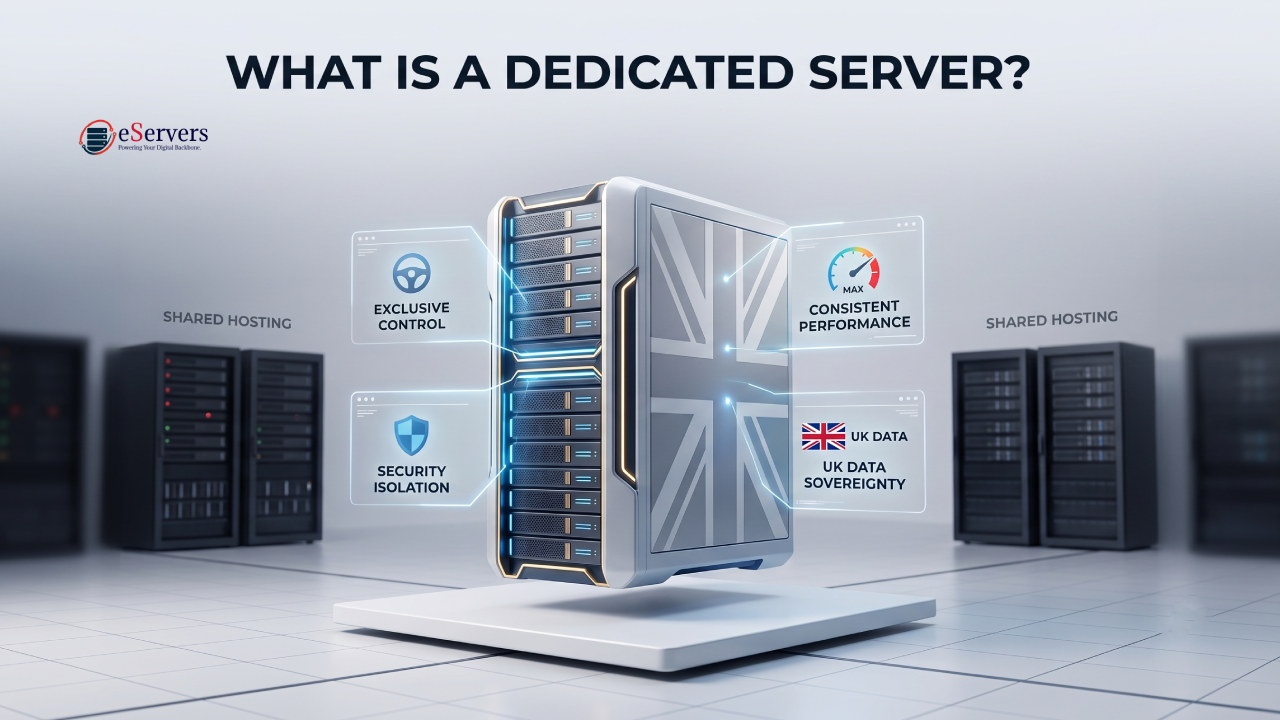
A dedicated server is a physical machine allocated to a single customer. You do not share its processor, memory or storage with other tenants in the way you typically do with shared hosting or virtual private servers.
The monthly cost reflects the physical hardware, network capacity, data centre infrastructure and services included in the hosting agreement.
Two servers may look similar on paper but have very different costs because of their processor generations, memory configurations, storage arrangements, bandwidth allowances or support requirements.
Before comparing hosting options, identify the resources your application actually needs.
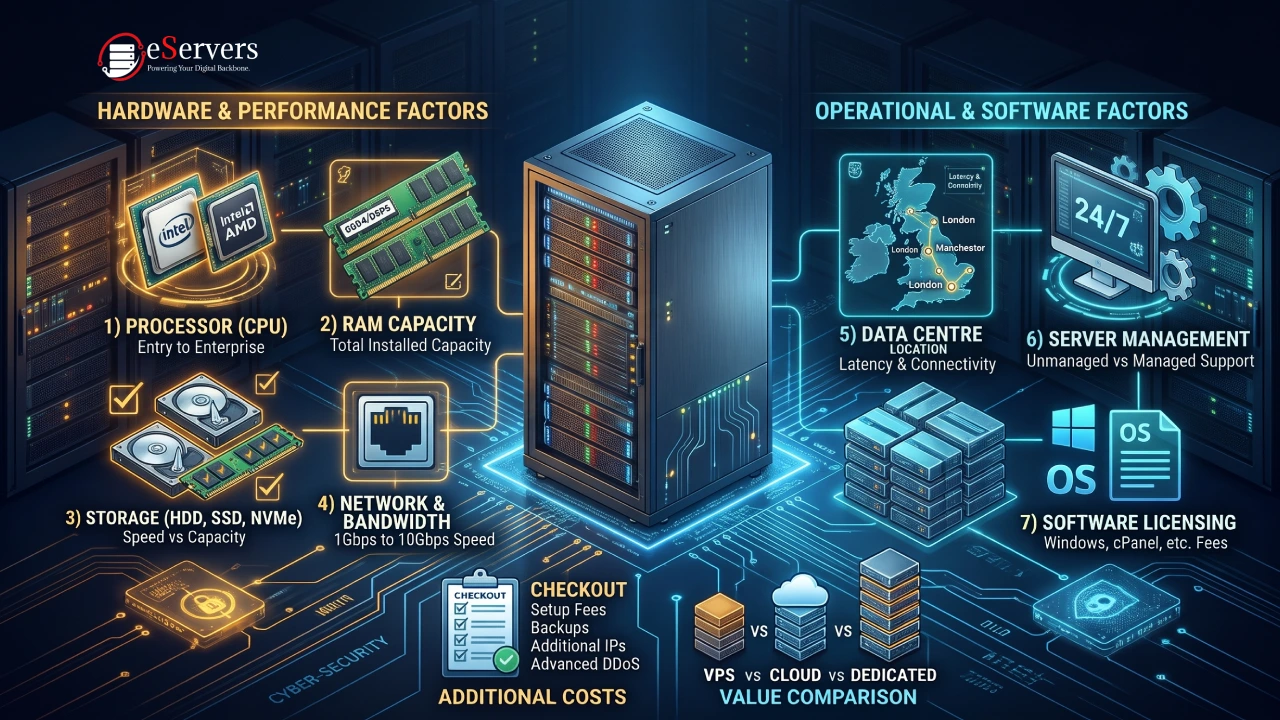
Seven Factors That Affect Dedicated Server Costs
1. Processor Type and Performance
The processor is one of the main factors influencing hardware cost.
Entry-level configurations may use single-socket processors designed for general website hosting, small applications and development environments. More demanding workloads may require higher-core-count Intel Xeon, AMD EPYC or other server-grade processors.
Consider the following when selecting a CPU:
Core and thread count required by your applications.
Processor generation and architecture.
Base and boost clock speeds.
Memory bandwidth and supported memory capacity.
Hardware acceleration features relevant to your workload.
A higher-core-count processor is not automatically the best choice. Applications that rely on strong single-thread performance may benefit more from clock speed and processor architecture than from additional cores.
Choose hardware according to your software's actual requirements rather than paying for processing capacity you will not use.
2. RAM Capacity and Memory Technology
Memory capacity affects how many processes and applications a server can handle simultaneously.
A server hosting a small business website may need considerably less RAM than a machine running several virtual machines, a large database or memory-intensive applications.
The cost of memory depends on:
Total installed capacity.
DDR4 or DDR5 memory generation.
ECC memory support.
Number of installed memory modules.
Available upgrade options.
ECC memory is commonly used in server environments because it can detect and correct certain memory errors. It is particularly relevant for workloads where data integrity and system stability matter.
Estimate memory requirements using current application usage and expected growth. Installing significantly more RAM than necessary can increase infrastructure costs without providing a meaningful benefit.
3. Storage Type and Capacity
Storage configuration affects both the initial hardware cost and application performance.
The main storage options include:
HDD storage
Hard disk drives offer high storage capacity at a relatively low cost per gigabyte. They are useful for backups, archives, large media collections and workloads that prioritise capacity over low access latency.
SATA SSD storage
SATA SSDs provide faster access than traditional HDDs and are suitable for general application hosting, websites and workloads with moderate storage performance requirements.
NVMe SSD storage
NVMe drives use PCI Express connectivity and are designed for low-latency, high-throughput storage operations. They are useful for database workloads, virtualisation, busy applications and environments with intensive random read and write activity.
The right option depends on workload requirements. A storage server holding large files may benefit more from high-capacity HDDs, while a database server may need NVMe storage for responsive data access.
Also consider the number of drives, RAID configuration, usable capacity and backup arrangements when estimating the total cost.
4. Network Speed and Bandwidth Requirements
Network connectivity can influence the monthly cost, particularly for applications that transfer large volumes of data or serve users across multiple regions.
When reviewing a hosting configuration, distinguish between:
Port speed, such as 1Gbps or 10Gbps.
Included monthly traffic allowance.
Unmetered or metered bandwidth terms.
Network routing and carrier availability.
DDoS protection and mitigation arrangements.
A 10Gbps network port does not automatically mean that a server includes unlimited traffic at that speed. The actual service depends on the provider's bandwidth policy and package conditions.
For example, a business website with moderate traffic may not need a high-capacity network port. A media platform, download service or game infrastructure may require greater throughput and carefully planned traffic allowances.
Choose a network configuration based on expected concurrent users, data transfer volumes and application requirements.
5. Data Centre Location
The physical location of a server can affect the network route between the server and its users.
For businesses serving customers across the UK, location selection may influence latency, connectivity options and the availability of particular hardware configurations.
However, a location alone does not determine the quality of a hosting service. Network routing, upstream providers, peering arrangements, server hardware and the user's access network also matter.
When evaluating a location, consider:
Proximity to your main user base.
Available network providers and routing options.
Hardware configurations offered at that facility.
Power and cooling infrastructure.
Support and remote-hands availability.
Do not choose a data centre solely because it is in a major city. Compare the actual configuration and network characteristics available for your intended workload.
6. Server Management and Technical Support
The level of management included in a hosting agreement can make a noticeable difference to the overall monthly cost.
With an unmanaged server, the customer is generally responsible for operating system administration, software updates, security configuration, monitoring, troubleshooting and application maintenance.
Managed services may include some combination of:
Operating system installation and maintenance.
Security updates and patch management.
Server monitoring.
Troubleshooting and technical assistance.
Backup configuration.
Control panel administration.
The exact scope varies between providers. Some offer basic managed support, while others provide more extensive administration under a separate service agreement.
If your business has an experienced infrastructure team, an unmanaged configuration may be appropriate. If you need the provider to handle routine server administration, include management charges in your budget.
7. Software Licences and Additional Services
The physical server is only part of the total infrastructure cost. Additional software and services may require separate recurring payments.
Depending on your setup, these may include:
cPanel or other commercial control panel licences.
Windows Server licensing.
Backup storage and backup management.
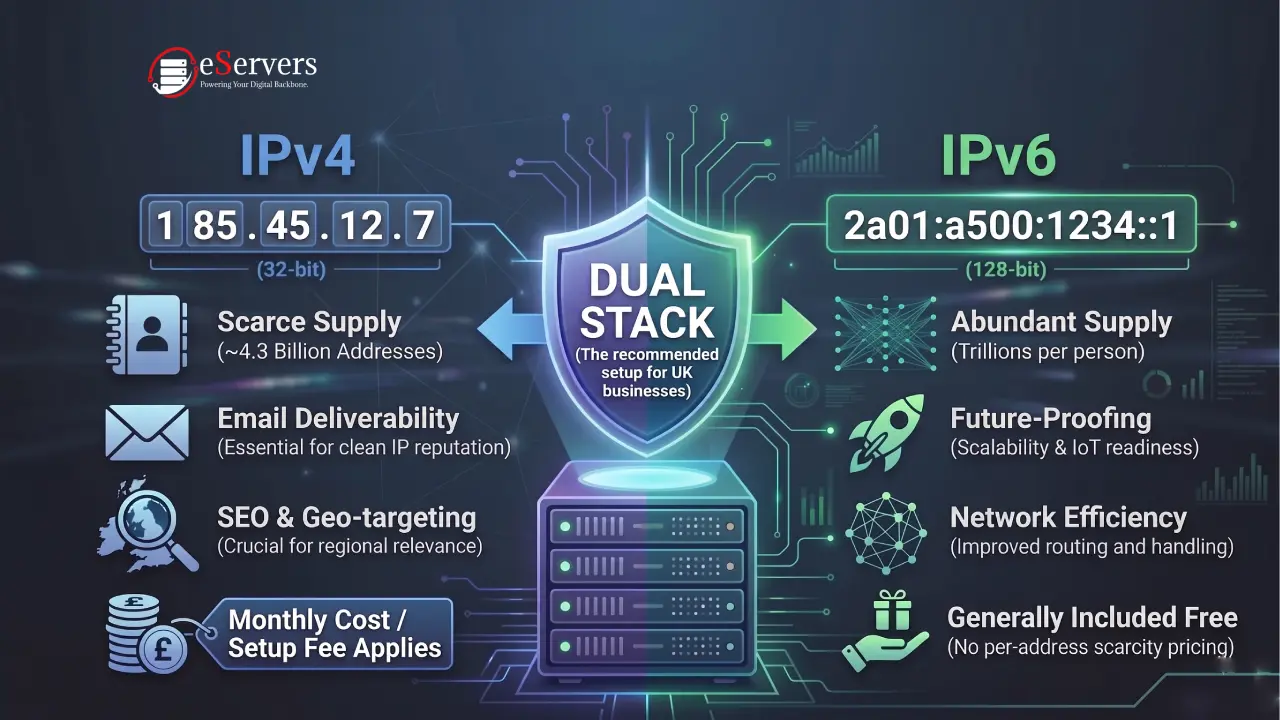
Additional IP addresses.
Advanced DDoS protection.
Monitoring and security services.
Managed administration.
Private networking or additional connectivity options.
Check which services are included in the advertised monthly charge and which are billed separately. Licence pricing and eligibility can change, so confirm current terms before ordering.
Additional Costs to Include in Your Infrastructure Budget
A useful budget should account for more than the advertised server rental charge.
Consider the following categories when calculating your expected monthly expenditure:
Recurring infrastructure costs
Physical server rental.
Additional bandwidth or traffic charges, where applicable.
Managed support services.
Software and control panel licences.
Backup storage.
Additional IP addresses or network services.
One-time or occasional costs
Initial server setup or migration services.
Application installation and configuration.
Data migration.
Custom hardware upgrades.
Additional storage installation.
Not every provider charges separately for each item. Some services may be included in the hosting package, while others may be optional. Review the service agreement and billing terms to avoid unexpected costs.
Dedicated Server vs VPS vs Cloud: Which Offers Better Value?
The right hosting model depends on resource requirements, operational responsibilities and expected growth. A dedicated server is not automatically the most economical option for every workload.
VPS Hosting
A virtual private server provides allocated virtual resources on a physical host shared with other customers.
It is often suitable for smaller websites, development environments, low-to-moderate traffic applications and projects that do not require an entire physical machine.
A VPS can be a practical starting point when resource requirements are relatively modest.
Public Cloud Hosting
Public cloud platforms offer configurable compute, storage and networking resources. They can be useful for applications that need flexible scaling, managed services or distributed infrastructure.
However, costs may depend on compute usage, storage consumption, network transfer, managed services and other billing components. Estimate the complete workload rather than comparing only the advertised compute rate.
Dedicated Server Hosting
A dedicated server provides exclusive access to a physical machine.
It can be appropriate for:
High-traffic websites and applications.
Database platforms.
Game server infrastructure.
Virtualisation environments.
Resource-intensive workloads.
Applications requiring direct hardware control.
The value of a dedicated server depends on how effectively the business uses its available resources. A well-sized physical server can be a suitable long-term option when an application consistently requires substantial compute, memory or storage capacity.
How to Estimate Your Monthly Dedicated Server Budget
Before requesting a configuration, work through these practical steps.
Step 1: Identify Your Workload
Write down what the server will run. A WordPress website, database platform, game server and virtualisation host have different resource requirements.Step 2: Estimate CPU and Memory Requirements
Review current CPU utilisation, memory consumption and expected traffic growth. If you are migrating from another server, use its monitoring data as a starting point.Step 3: Select the Appropriate Storage
Estimate usable capacity, performance requirements and backup space. Decide whether HDD, SATA SSD or NVMe storage best matches the workload.Step 4: Calculate Network Requirements
Estimate monthly data transfer and peak traffic. Confirm the port speed, bandwidth allowance and any applicable usage limits.Step 5: Decide on Management Requirements
Determine whether your team can administer the operating system and maintain the server or whether managed support is required.Step 6: Include Additional Services
Account for licences, backups, security services and any optional network features.Step 7: Compare the Complete Monthly Cost
Compare configurations with equivalent hardware and service terms. Do not make a decision based only on the lowest advertised starting price.
A useful budgeting formula is:
Estimated monthly infrastructure cost = Server rental + Management + Software licences + Backup services + Additional network services + Other recurring charges
This approach provides a more realistic view of the total cost than comparing hardware rental alone.
Evaluating UK Hosting Options
When choosing a hosting provider, compare more than the monthly charge. Review the available processor models, memory configurations, storage options, network arrangements, data centre locations and support terms.
For businesses evaluating physical infrastructure in the UK, eServers provides dedicated bare metal configurations using Intel, AMD and Ampere hardware across its UK locations.
You can explore the available UK bare metal server infrastructure to review hardware options, server locations and service features.
If you are ready to compare available configurations and location-specific costs, visit the UK dedicated server pricing page.
Always check the current configuration and service terms before placing an order, as available hardware and prices can change.
Frequently Asked Questions (FAQ)
How much does a dedicated server cost per month in the UK?
The monthly cost depends on processor performance, memory capacity, storage, bandwidth, data centre location and management requirements. Entry-level configurations generally cost less than high-performance systems with larger memory capacities, enterprise processors or advanced network options. Check current provider listings for available configurations and prices.
What is the biggest factor affecting dedicated server costs?
Hardware is a major cost factor, particularly the processor, memory and storage configuration. Network capacity, management services, software licences and additional infrastructure requirements can also influence the final monthly charge.
Is an unmanaged dedicated server cheaper?
Unmanaged hosting often has a lower service charge because the customer handles server administration. However, you need the technical skills and resources to maintain the operating system, security, updates and applications. Include the cost of your own administration time when comparing options.
Does NVMe storage increase hosting costs?
NVMe drives can cost more than some SATA SSD or HDD configurations, depending on capacity and hardware. They are useful when an application needs higher storage performance, but they are not necessary for every workload.
Is a dedicated server cheaper than cloud hosting?
It depends on resource consumption and the billing model. A dedicated server provides a fixed physical configuration with a recurring rental charge, while public cloud services may charge according to resource usage and additional services. Compare the total cost for your actual workload over the expected operating period.
What other charges should I check before ordering?
Review software licences, backup services, management fees, additional IP addresses, bandwidth conditions, setup charges and any optional security services. Confirm which features are included in the advertised package.
Can I upgrade my dedicated server later?
Upgrade options depend on the provider, server model and available hardware. Some configurations allow memory or storage upgrades, while processor changes may require a different physical server. Confirm the upgrade path before selecting a long-term configuration.
Should I choose a dedicated server for a high-traffic website?
A dedicated server can be suitable for a high-traffic website when the application needs substantial and predictable compute, memory or storage resources. However, the correct configuration depends on traffic patterns, caching, database performance and application architecture.
Final Thoughts
The cost of a dedicated server is determined by more than its monthly rental charge. Processor requirements, memory, storage, bandwidth, data centre location, management and software licences all contribute to the overall infrastructure budget.
Start by understanding your workload, estimate the resources it needs and compare complete service configurations rather than choosing a server based on its advertised starting price.
A well-planned configuration helps avoid paying for unnecessary resources while leaving enough capacity for future growth. Take the time to evaluate the hardware, network and support terms before committing to a hosting agreement.
Discover eServers Dedicated Server Locations
eServers provides reliable dedicated servers across multiple global regions. Whether you need low latency, regional compliance, or proximity to your audience, our wide geographic coverage ensures the perfect hosting environment for your project.