


Picking between a Windows and a Linux dedicated server isn't about which operating system is "better." It's about which one matches the software you actually run, your budget, and what your team already knows how to manage. Get it wrong, and you either pay for a license you didn't need, or spend weeks fighting compatibility problems.
Quick answer: Choose Linux if you run open-source software things like WordPress, PHP or Node.js apps, or Docker containers — and want to avoid extra licensing costs. Choose Windows if your business software needs it specifically: applications built on .NET, Microsoft SQL Server, Exchange email, SharePoint, or Windows-based logins (Active Directory). On the same hardware, Linux is almost always cheaper, because Windows charges a licensing fee that Linux simply doesn't have.
Here's the full comparison for 2026, using real UK server pricing to show exactly where the differences show up.
What's the Actual Difference Between Windows and Linux Servers?
A dedicated server is just a physical computer that's entirely yours no sharing with other customers. The operating system (Windows or Linux) is the software layer that runs on top of that hardware and decides how you manage it, what applications it can run, and how much it costs.
| Factor | Linux Server | Windows Server |
|---|---|---|
| Cost of the OS itself | Free (open-source) | Paid Microsoft license, billed monthly |
| Common versions | Ubuntu, Debian, CentOS, AlmaLinux, Rocky Linux | Windows Server 2016, 2019, 2022 |
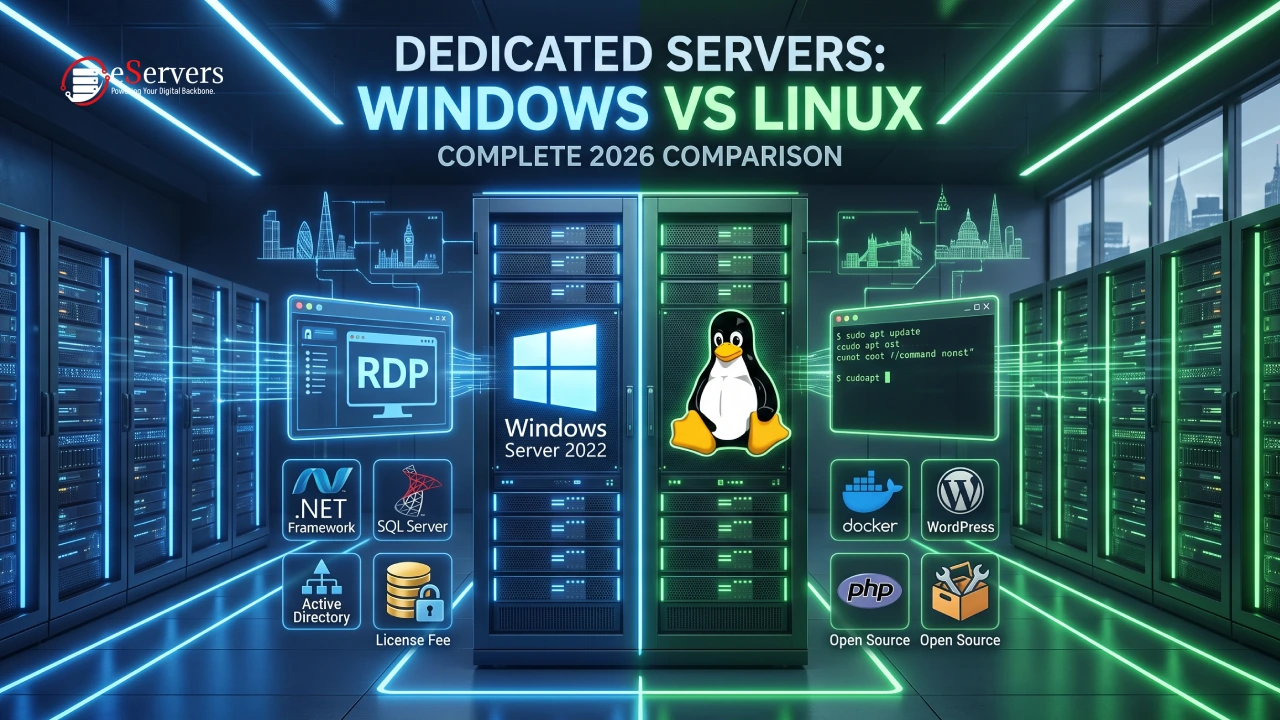
| What it runs well | Websites, PHP/Node.js/Python apps, Docker | Microsoft-based business software |
| How you access it | Terminal (typed commands, called SSH) | Remote Desktop (a screen you control like your own PC, called RDP) |
| Control panel options | cPanel, DirectAdmin, Plesk | Plesk, DirectAdmin |
| Best for | Web hosting, developers, cost-conscious projects | Companies locked into Microsoft software |
The Licensing Cost Difference (This Is the Big One)
This is where Windows and Linux really part ways, and it shows up directly in the price you pay. Looking at eServers UK's own server line-up, the exact same hardware costs more the moment you add Windows:
| Location | Linux price | Windows price (hardware + Microsoft license) |
|---|---|---|
| Birmingham | £42/month | £46 + £30 = £76/month |
| London | From £41/month | £48 + £30 = £78/month |
| Manchester | £72/month | £83 + £30 = £113/month |
| Slough | £48/month | £52 + £30 = £82/month |
| Worcester | £74/month | £74 + £30 = £104/month |
Notice the pattern: every Windows server has a flat extra £30 a month added on top, no matter the hardware. That's the Microsoft licensing fee — it's not optional, and it's not a markup by the hosting provider. Over a year, that's an extra £360 you're paying purely for the right to run Windows, on top of identical hardware.
Linux distributions (the different "flavours" of Linux, like Ubuntu or Debian) are free because they're open-source — built and maintained by a community rather than sold by one company. That's the entire reason Linux servers cost less.
Bottom line: if your software doesn't specifically require Windows, you're paying £30+ a month for nothing.
Which Operating System Options Do You Get?
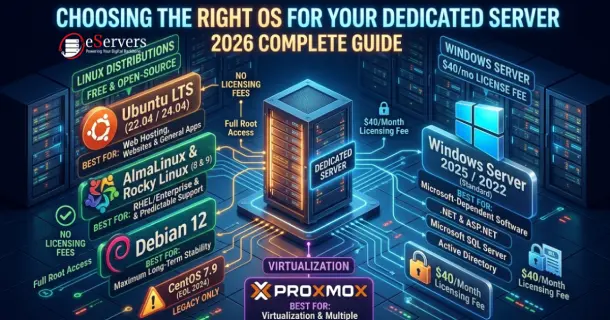
Linux comes in several free "flavours" (distributions):
Ubuntu (a popular, beginner-friendly choice)
Debian (known for being very stable)
CentOS Stream and AlmaLinux/Rocky Linux (built for business servers)
Arch Linux (for advanced users who want full control)
Windows Server comes in three main versions:
Windows Server 2016
Windows Server 2019
Windows Server 2022
Linux gives you more choice because each distribution is built with a slightly different goal in mind. Windows Server's choice is simpler — mostly a question of which version's support lifecycle fits your plans.
What Software Actually Needs Which OS?
This is usually the real deciding factor — more important than price.
You need Linux if you're running:
A WordPress, PHP, Node.js, or Python website or app
MySQL, MariaDB, or PostgreSQL databases (common free database systems)
Docker containers or Kubernetes (tools for packaging and running apps consistently)
Most open-source content management systems
You need Windows if you're running:
A business application built on .NET or ASP.NET (Microsoft's app-building framework)
Microsoft SQL Server (Microsoft's database software)
Microsoft Exchange (business email) or SharePoint (document/collaboration software)
Software that logs users in through Active Directory (Microsoft's company login system)
If your software wasn't built specifically for Windows, forcing it onto a Windows server almost always costs more time and money than the £30 licensing fee you're trying to avoid — and the reverse is just as true for Windows-only software.
Security and Reliability: Basically Equal on Both
Good news here: the safety net around your server — the data centre, the network, the support team — doesn't change based on which OS you pick. Comparing eServers UK's standard promises for both server types:
| What you get | Linux | Windows |
|---|---|---|
| Support response time | 24/7 support, ticket answered within 15–20 minutes | Same |
| Backup power/network | Private UK data centre with backup systems in place (N+1 redundancy) | Same |
| Broken hardware replaced | Guaranteed within 1 hour | Same |
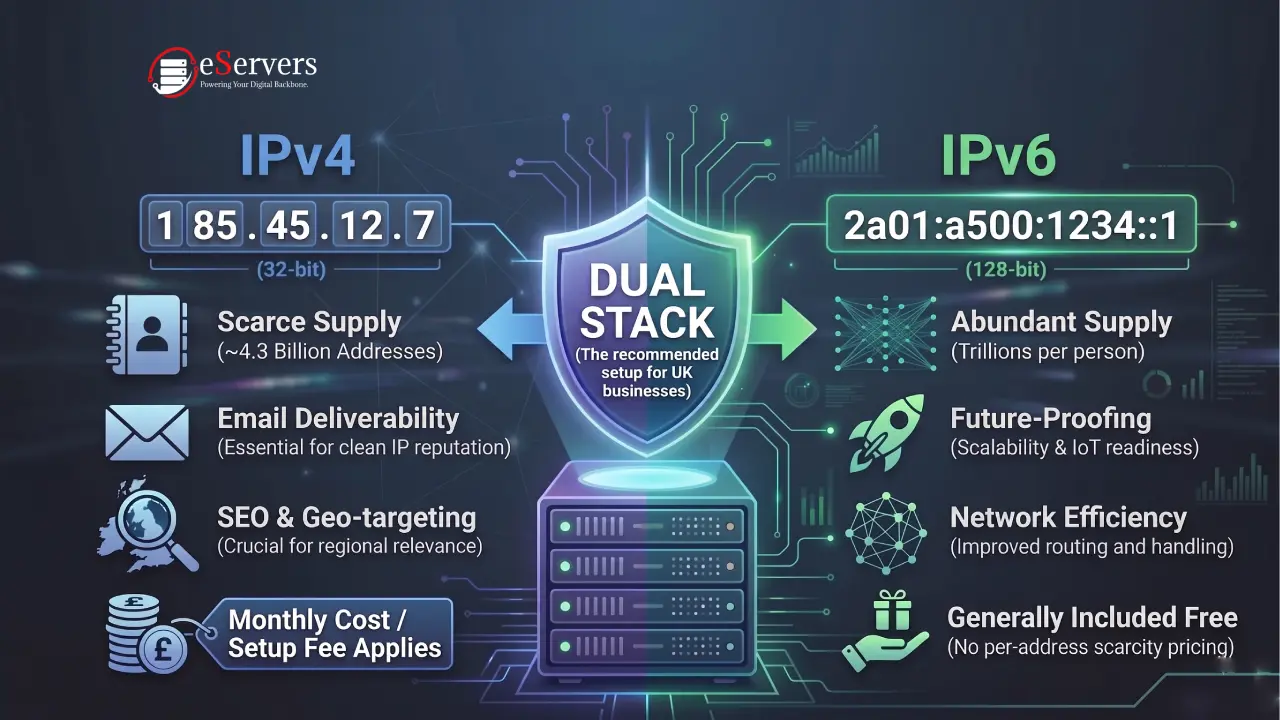
| Your own IP address | Yes, with a dedicated private network segment | Same |
| Uptime promise | 100% uptime guarantee on power and network | Same |
| Setup speed | Same business day for standard configurations | Same |
| Monitoring | Live monitoring with email/text alerts if something goes wrong | Same |
One real difference worth knowing: eServers UK lists DDoS protection (defence against attacks that flood your server with fake traffic to take it offline) as included by default on Windows servers, while it sits under the optional extras on the Linux page. If DDoS protection is a must-have for you, it's worth double-checking this directly before you order.
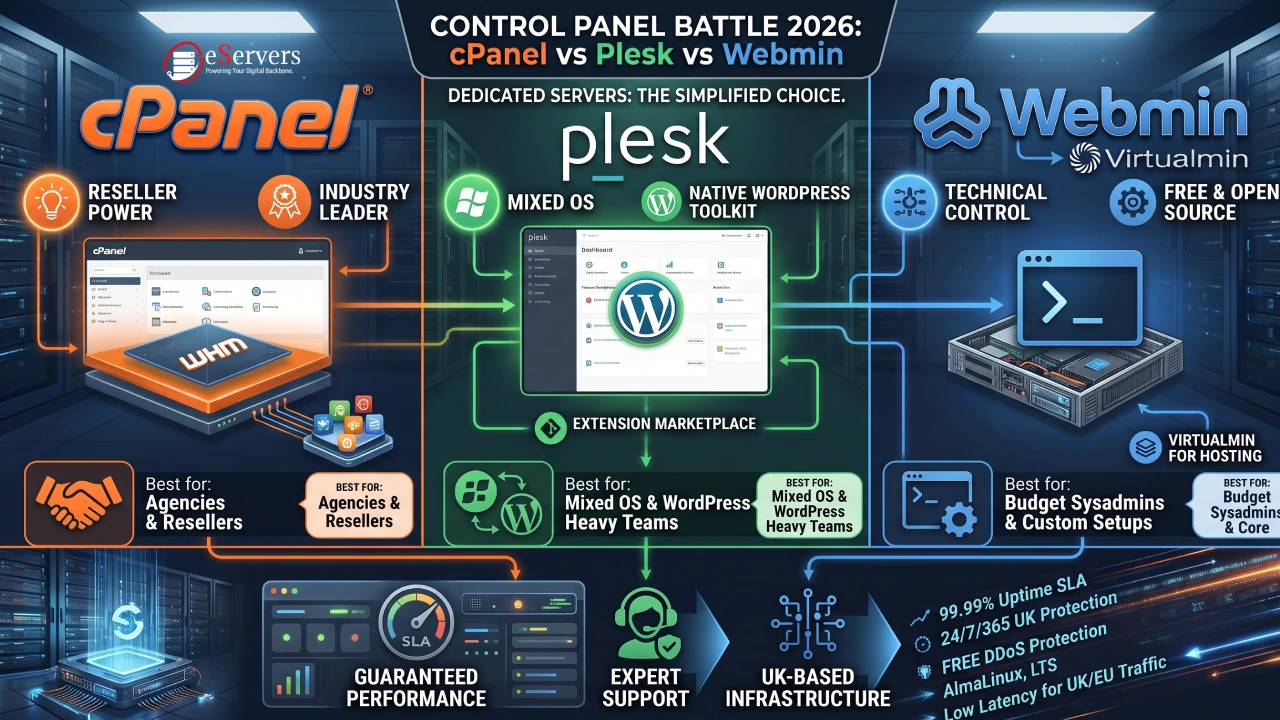
Both server types also offer the same optional extras if you want them: a dedicated hardware firewall, virtualization software (for running multiple virtual servers on one machine), and a control panel like cPanel, DirectAdmin, or Plesk so you don't have to manage everything by typing commands.
How You Actually Manage Each One Day to Day
Linux is managed mostly by typing commands into a terminal, over a connection called SSH. It sounds intimidating, but it's fast, and it's the standard way to automate repetitive tasks. It does take a bit of learning if you've never used a command line before.
Windows is managed through RDP (Remote Desktop) — you get the full Windows desktop, remotely, exactly like sitting in front of the physical machine. It's much more familiar if your team already uses Windows every day, but it uses more bandwidth and server resources than SSH does.
If neither sounds appealing, a control panel (cPanel, DirectAdmin, or Plesk) gives you a simple website-style dashboard instead, on either OS.
Quick Decision Guide
| If you're... | Go with |
|---|---|
| Hosting a WordPress site or PHP/Node.js app | Linux |
| Running Microsoft business software (.NET, SQL Server) | Windows |
| Trying to keep monthly costs as low as possible | Linux |
| Using Docker or container-based deployment | Linux |
| Your team only knows Windows | Windows |
| Running a mix of both types of software | Plesk can manage Linux and Windows servers from one dashboard |
Where Can You Get One in the UK?
Both server types are available in the same locations, so this doesn't need to affect your OS decision: Birmingham, Edinburgh, Glasgow, Gloucester, London, Manchester, Nottingham, Portsmouth, Slough, and Worcester. London is the best pick if low latency (delay) for UK/EU visitors matters most to you.
Final Thoughts
Pick the operating system your software actually needs first — the cost difference is real, but it's meaningless if the wrong OS means your application doesn't run properly. Compare live configurations on eServers UK's Linux dedicated servers and Windows dedicated servers pages, or see the full range of dedicated servers available across both operating systems.
Frequently Asked Questions (FAQ)
Is Linux really cheaper than Windows?
Yes. Windows Server needs a paid Microsoft license, which adds roughly £30/month on top of identical hardware. Linux is free and open-source, so there's no equivalent charge.
Can I use cPanel on a Windows server?
No — cPanel is built specifically for Linux. On Windows, Plesk or DirectAdmin do the same job (a visual dashboard instead of typing commands).
Is Windows or Linux more secure?
Neither is automatically safer. Security comes down to how well the server is set up, patched, and monitored — not which OS it runs. The infrastructure protections (backup power, DDoS defence, monitoring) are largely the same on both when hosted with the same provider.
My app is built in .NET — do I need Windows?
Not always. Newer versions of .NET (.NET Core and .NET 5+) can run on Linux. Older, classic .NET Framework apps, or ones tied closely to Windows-only features, still need a Windows server.
Can I switch from Linux to Windows later?
Usually yes, but it means setting up a new server with the other OS rather than converting your existing one — switching a live server's core OS isn't something providers normally support.