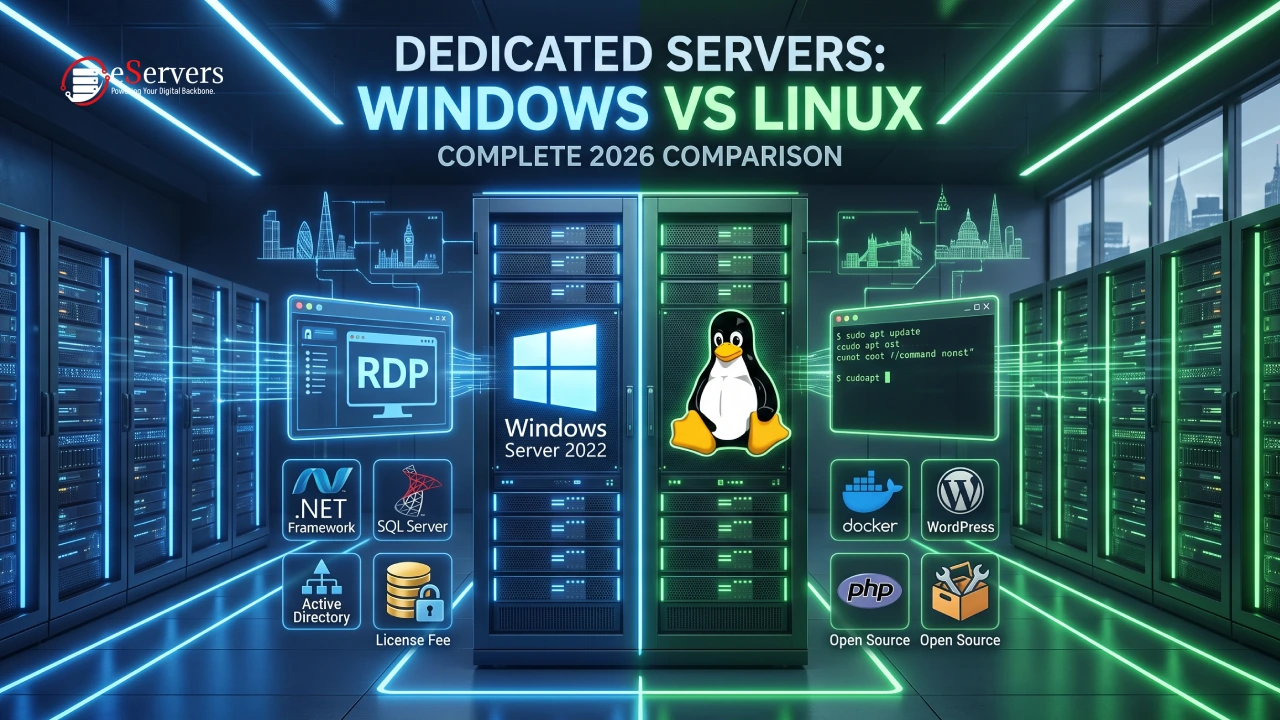



Choosing the right control panel is one of the first real decisions you make after ordering a dedicated server. It decides how fast you can deploy websites, how easy email and DNS management will be, and how much time your team spends on routine admin instead of actual growth.
Quick answer: cPanel/WHM remains the best fit for agencies and hosting resellers who need a mature, widely-documented Linux panel. Plesk is the stronger choice if you run mixed Linux/Windows environments or lean heavily on WordPress management. Webmin (often paired with Virtualmin) is the right call for technical teams who want a free, highly configurable panel and don't mind a steeper learning curve.
Below is a full, up-to-date breakdown of cPanel, Plesk, and Webmin for 2026, including how each one behaves specifically on a dedicated server rather than shared or VPS hosting.
What a Dedicated Server Control Panel Actually Does
A control panel sits between raw root access and the person managing the hosting environment. Instead of editing Apache or Nginx configuration files by hand, provisioning email accounts through Postfix commands, or managing DNS zones manually, the panel gives you a web-based dashboard for:
Domain, subdomain, and DNS zone management
Email account creation, spam filtering, and mailbox quotas
Database administration (MySQL/MariaDB, PostgreSQL)
SSL certificate issuance and renewal
File management, backups, and one-click application installs
Resource monitoring and, on multi-user setups, reseller account control
On a dedicated server, the panel also has to work with the extra flexibility root access gives you, since you're not sharing hardware or resource limits with anyone else.
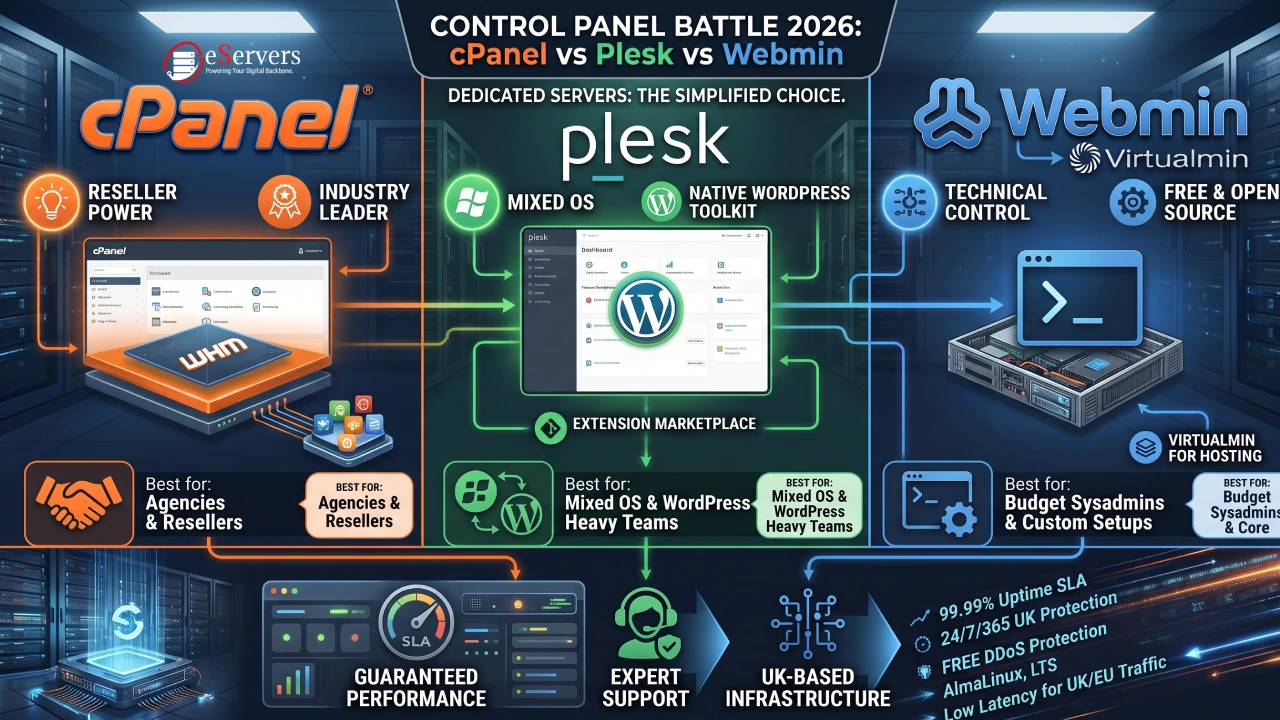
cPanel vs Plesk vs Webmin: Side-by-Side Comparison
| Factor | cPanel/WHM | Plesk | Webmin/Virtualmin |
|---|---|---|---|
| Cost model | Licensed, tiered by account count | Licensed, tiered by domain/subscription count | Free and open-source (Virtualmin Pro is paid) |
| Operating system | Linux only (AlmaLinux, Rocky, CloudLinux) | Linux and Windows Server | Linux/Unix only |
| Interface | Polished, end-user friendly | Polished, dashboard-driven, modern UI | Functional, more technical |
| Reseller support | WHM built for resale from the ground up | Available via Plesk Web Host Edition | Possible via Virtualmin, less standardised |
| WordPress tooling | WP Toolkit-style plugins available | Native WordPress Toolkit built in | Manual/plugin-based |
| Learning curve | Low to moderate | Low | Moderate to high |
| Best fit | Agencies, resellers, high-volume hosting | Mixed OS shops, WordPress-heavy portfolios, dev teams | Budget-conscious sysadmins, custom setups |
cPanel/WHM: The Industry Standard
cPanel has held its position as the most widely deployed Linux hosting panel for over two decades, and that install base is precisely why it's still the default recommendation for anyone running a hosting business or managing dozens of client sites.
Strengths
Ecosystem maturity. Nearly every managed WordPress plugin, migration tool, and hosting automation script is built with cPanel compatibility in mind first.
WHM for reseller control. WebHost Manager sits above individual cPanel accounts, letting you package hosting plans, allocate resources per account, and manage everything from one root-level dashboard — essential if you're reselling space on your dedicated server.
Documentation and community support. Because it's the most common panel, troubleshooting is rarely a dead end; almost every error message has a documented fix somewhere.
One-click installers. Softaculous-style app installation covers hundreds of CMS and framework options out of the box.
Trade-offs
Licensing is per-account-tier, so costs scale as your client base grows.
Linux-only — if any part of your stack needs Windows Server (classic ASP.NET, MSSQL-dependent apps), cPanel isn't an option.
Resource-hungry compared to lighter panels like Webmin, which matters more on smaller dedicated configurations.
cPanel now runs primarily on AlmaLinux, Rocky Linux, and CloudLinux, following CentOS's shift to CentOS Stream — a distinction worth knowing if you're still planning around CentOS 7/8, which is past end-of-life for cPanel support.
Plesk: The Cross-Platform Alternative
Plesk was built to solve the problem cPanel can't: managing Windows and Linux servers from the same interface. That single feature has kept it relevant, particularly for agencies with mixed client requirements.
Strengths
Windows and Linux support from one panel, useful for shops that inherited legacy .NET applications alongside standard LAMP/LEMP sites.
Built-in WordPress Toolkit for bulk updates, staging, security hardening, and cloning across every WordPress install on the server — genuinely stronger than most cPanel WordPress plugins.
Extension marketplace covering security (ModSecurity, Fail2ban integration), backups (Acronis Cyber Protect), and Git deployment.
Cleaner learning curve for teams migrating from cPanel; the account/subscription model maps closely enough to feel familiar.
Trade-offs
Reseller functionality (Plesk Web Host Edition) is capable but less battle-tested at scale than WHM.
Some enterprise extensions carry extra licensing cost on top of the base Plesk fee.
Community documentation, while solid, is smaller than cPanel's due to a lower overall install base.
Webmin/Virtualmin: The Free, Technical Route
Webmin is a free, open-source system administration panel; Virtualmin extends it specifically for hosting multiple domains, mail, and databases — effectively turning Webmin into a free cPanel alternative.
Strengths
Zero licensing cost, which matters directly on dedicated servers where you're already paying for hardware and bandwidth.
Deep configurability. Because Webmin exposes more of the underlying system (Apache/Nginx, BIND, Postfix, firewall rules) directly, experienced admins can tune things a licensed panel would otherwise abstract away.
Lightweight footprint, which frees up more RAM and CPU headroom for actual workloads rather than panel overhead — a real advantage on smaller dedicated builds.
Virtualmin Pro adds reseller account management and priority support if you outgrow the free tier without wanting to switch panels entirely.
Trade-offs
The interface is functional rather than polished; expect a steeper onboarding curve for non-technical staff.
Fewer one-click app installers and third-party integrations than cPanel or Plesk.
Support relies more on community forums unless you pay for Virtualmin Pro.
Which Control Panel Should You Choose in 2026?
| If you are... | Go with |
|---|---|
| Running a hosting or reseller business at scale | cPanel/WHM |
| Managing mixed Windows + Linux clients | Plesk |
| Heavily invested in WordPress client sites | Plesk (WP Toolkit) or cPanel with a WP plugin |
| A technical team optimising for cost and control | Webmin/Virtualmin |
| Running a single, high-traffic application server | Consider no panel at all — raw root access with a lightweight stack (Nginx + PM2/Docker) often outperforms any GUI panel |
Server specification also shapes the decision. Entry-level dedicated servers benefit more from Webmin's lighter resource use, while higher-core, higher-RAM configurations comfortably absorb cPanel or Plesk overhead without a noticeable performance hit.
Control Panels on eServers UK Dedicated Servers
If you're deploying in the UK, control panel choice matters even more when paired with local latency and support responsiveness. eServers UK has been a cPanel Partner for over a decade, and their cPanel dedicated servers come fully configured with WHM/root access, DNS management, automated backup scheduling, and spam protection as standard — plus optional add-ons like managed backup and restore, a dedicated Cisco ASA hardware firewall, and virtualisation platforms (VMware ESXi or XenServer) for teams that want to layer additional isolation on top of the base panel.
A few operational details worth knowing before you choose a panel on a UK dedicated server:
OS choice affects panel compatibility. eServers offers AlmaLinux, Ubuntu LTS, Rocky Linux, or Windows on their dedicated line — check which OS your target panel officially supports before provisioning, since cPanel is Linux-only while Plesk covers both.
Support SLAs matter more than the panel itself when something breaks. eServers backs its dedicated servers with 24/7/365 expert support, a 30-minute guaranteed ticket response, and a guaranteed 1-hour hardware replacement window — all of which reduce the actual downtime risk regardless of which panel you're running.
UK data centre placement (London and other regional facilities with N+1 power and cooling redundancy) keeps latency low for UK/EU traffic, which is particularly relevant if you're running Plesk's WordPress Toolkit or cPanel's file manager over a remote connection — panel responsiveness is partly a function of network distance, not just server specs.
If you're still deciding, it's worth exploring the full dedicated server range to match core count, RAM, and bandwidth tier to whichever panel you land on, since an underpowered server will bottleneck any control panel equally.
What's Changed Going Into 2026
A few shifts are worth factoring into any 2026 decision:
CentOS is no longer a safe default. Both cPanel and most modern control panels have moved support toward AlmaLinux and Rocky Linux as RHEL-compatible replacements.
WordPress-specific tooling has become a deciding factor, not a nice-to-have, given how much of the web still runs on it — this is where Plesk's native toolkit and cPanel's plugin ecosystem now compete directly.
Panel-level security features are table stakes. Integrated Fail2ban, ModSecurity, and automated malware scanning are now expected rather than premium add-ons across all three panels.
Final Thoughts
Whichever panel fits your workload, the underlying hardware and support behind it matters just as much. Explore eServers UK's fully managed cPanel dedicated servers or get in touch with their team to match a control panel to the right server specification for your project.
Frequently Asked Questions (FAQ)
Is cPanel better than Plesk in 2026?
Neither is universally "better." cPanel has the larger ecosystem and is the stronger pick for Linux-only reseller hosting; Plesk wins when you need Windows Server support or heavy WordPress management baked into the panel itself.
Can I run cPanel on a Windows dedicated server?
No. cPanel/WHM is Linux-only. If you need a single panel to manage both Windows and Linux workloads, Plesk is the only one of the three that supports both.
Is Webmin good enough to replace cPanel for a small hosting business?
For a handful of domains managed by a technically confident admin, yes — Virtualmin can replicate most of cPanel's core hosting functions at no licensing cost. For a growing reseller business, cPanel's WHM tooling and ecosystem support still make it the safer long-term choice.
Does the control panel affect dedicated server performance?
Yes, to a degree. Webmin has the lightest resource footprint, cPanel and Plesk carry more background overhead, but on a properly specced dedicated server (rather than a small VPS) the difference is rarely the bottleneck — network, storage type, and application code usually matter more.
Do I need a control panel on a dedicated server at all?
Not necessarily. If you're running a single application or a DevOps-managed stack with tools like Docker or Ansible, a control panel can add unnecessary overhead. Panels earn their keep when you're managing multiple sites, mailboxes, or client accounts through a GUI rather than the command line.